 XSF
XSFFlashbang for Roblox Studio
M84 stun grenade. The Flashbang is one of 59 weapons that come free with XSF, a gun system and FPS framework for Roblox Studio.
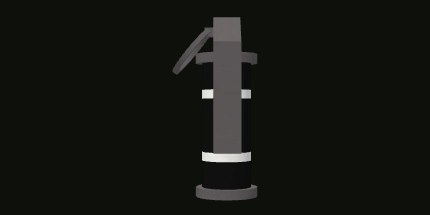
Default values in XSF 2.3.0. Damage is out of 100 health.
How it plays
Throwables can be cooked and thrown short or long. Explosions check for cover, so walls protect players.
How to add the Flashbang to your Roblox game
Install XSF first (about three minutes, see how to add guns to Roblox Studio). The Flashbang is already in the download as ReplicatedStorage.XSF.Weapons.Flashbang. Then pick one of these:
Everyone spawns with it. Put it in Loadout in XSF.GameConfig:
Loadout = { "Flashbang", "G17", "M67" },
Give it from a script, for a shop, a class picker or a level reward:
local XSF = require(game.ServerScriptService.XSF.Server)
XSF.Give(player, "Flashbang")
Drop it on the map as a pickup players grab with F:
XSF.SpawnPickup("Flashbang", workspace.LootSpot.CFrame)
Give it to an NPC: set an attribute named XSF_Weapon to "Flashbang" on any Humanoid model.
Want different numbers? Change damage, fire rate, ammo, bullet speed or recoil on the website dashboard without code, or in the gun's own Config in Studio.
Questions
Is the Flashbang free to use in my Roblox game?
Yes. The Flashbang comes with XSF, which is free, including in games that earn Robux. Download it from xsfshooter.com.
How do I add the Flashbang to Roblox Studio?
Install XSF, then add "Flashbang" to Loadout in XSF.GameConfig, or call XSF.Give(player, "Flashbang") from a server script.
Does the Flashbang work on mobile and console?
Yes. XSF supports PC, console (with aim assist and rumble) and phones with movable touch buttons, on R6 and R15.
Can I change the Flashbang stats?
Yes. Every number on this page can be changed on the XSF website dashboard without code, or in the weapon Config in Studio.